
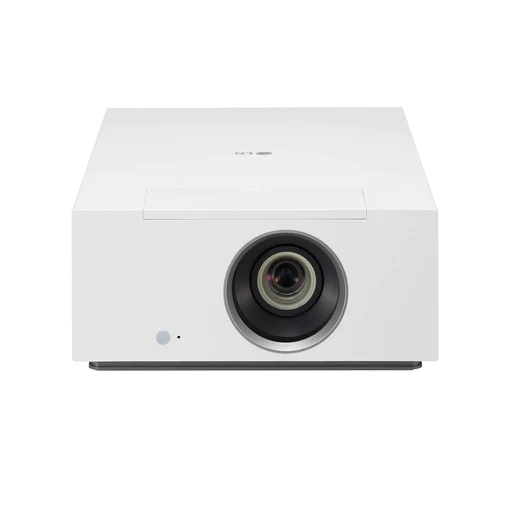
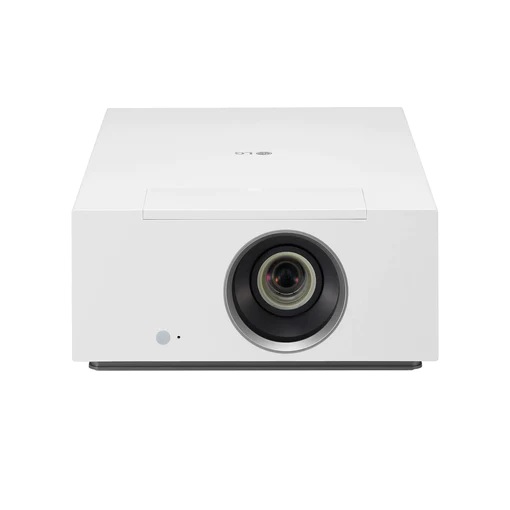
LG CineBeam HU710P - 4K UHD 2000 Lumens Home Cinema Projector Read more
Key Features
Brilliant Home Cinema with High-powered Hybrid Light Source
Display
4K UHD (3840x2160)
Hybrid (Laser + LED)
DCI-P3 94% & 2M:1 Contrast Ratio
Imaging Technology
Brightness Optimizer
Filmmaker Mode
HDR Standard
Usability
webOS
Apple AirPlay 2 & HomeKit
Wireless Connection (Screen Share & Bluetooth)
Real 4K UHD Hybrid Projector
Vivid Cinematic Viewing Up to 300 (762cm) Large Screen
With 8.3 mega pixels utilizing 4K UHD hybrid technology, LG CineBeam delivers precisive details up to 300 (762cm). With 2M:1 contrast ratio it can express the deep darkness and brightness. And it accurately represents colours in an indoor environment, thanks to a wide colour gamut 94% of DCI-P3 and 2,000 ANSI Lumens brightness.
8.3M Pixels
Real 4K UHD
DCI-P3 94%
Wide Colour Gamut
2,000,000:1
Contrast Ratio
2,000 ANSI
Brightness
*The figures of contrast ratio and colour gamut are the measured value from internal testing.
*The marked brightness, the measured value from internal testing, is based on the brightness standard that users perceive.
*The above figures are based on ‘Brightest mode’ and may vary depending on your environment.
*The colour gamut is based on 'Vivid mode’ and the colour reproduction range may vary depending on the picture mode you choose.
Laser + LED
Vibrant Picture from Hybrid Light Source Technology
Featuring LG’s new hybrid light source system, the HU710P employs an LED light source supported by laser technology to provide 2,000 ANSI lumens. So, the user can enjoy the content with enhanced light source brightness and colour expression.
Brightness Optimizer
Designed for Both Bright and Dark Environment
Depending on lighting condition of viewing environment, you can change iris mode.
Adaptive Contrast
Fits Laser Output to the Scene
Adaptive Contrast gives more depth to your image by adaptively adjusting the Laser output to image, in order to create a high contrast ratio. Bright scenes appear brighter, while dark scenes remain detailed with deep blacks and shade detail.
Filmmaker Mode
Feel the Emotions of the Original Content Creator
Filmmaker Mode turns off motion smoothing and other video processing setting. So, it can faithfully and accurately deliver the creator’s intent.
A New Level of Clarity
HDR improves quality by making the bright part brighter and the dark part darker while using the dark side details. So, it is compatible with almost HDR industry standards.
Dynamic Tone Mapping
Using meaningful signal range (frame by frame) instead of simple signal range.
HDR10
Individual tone can be adjusted for each colour within a scene.
HLG
HLG is a backwards-compatible HDR standard and begins with a SDR signal that any TV can use.
HGiG
HGiG helps you to enjoy HDR console games from PlayStation and Xbox.
*HDR covers almost all HDR specifications, including HDR10, Dynamic Tone Mapping, HLG, HGiG and other specifications.
The Smart Way to Access Content
With webOS 6.0, you can explore a variety of TV shows and movies with a simple connect to your Wi-Fi network. Also, you can enjoy video contents with built-in apps like Netflix, Amazon Prime Video, Disney+, YouTube and Apple TV.
Magic Lighting Remote Control
With Magic Lighting Remote Control, you can just press the Home button and easily control webOS. Its lighting function allows you to control it conveniently even in a dark room.
Apple AirPlay 2 & HomeKit
Let's Share Your Content at Home
With LG smart projector, simply share your entertainment from supported Apple devices - iPhone, iPad, and Mac - using AirPlay to the high-definition large screen.
How to Use Your Apple Devices with LG CineBeam Properly
Stream video from Apple device to LG CineBeam
Mirror your Apple device to LG CineBeam
Mirror your Apple device to LG CineBeam
*Your Apple device must be connected to the same Wi-Fi network as your projector.
*Apple, the Apple logo, AirPlay, Apple TV, and HomeKit are trademarks of Apple Inc., registered in the U.S. and other countries.
*This LG CineBeam supports AirPlay 2 and requires iOS 12.3 or later or macOS 10.14.5 or later.
Flexible and Easy Installation
Lens Shift & Zoom x1.6
With Lens Shift (H ± 24%, V ± 60%) & Zoom x1.6 functionality, you can install the projector virtually anywhere and set the screen to the exact size and location.
*The images simulated to enhance feature understanding. It may differ from actual use.
4/9/15 Point WARPING
With the improved 4/9/15 Point WARPING supporting not only 4-corner but also 9-point and 15-point warping functions, you can adjust screen distortion and set up a more precise screen.
*The images simulated to enhance feature understanding. It may differ from actual use.
Screen Share + Bluetooth
Smart Wireless Connection
You can share the content and sound conveniently with wireless mirroring (screen share) and Bluetooth pairing.
*Screen share: Supported on Android or Window 8.1 and above.
*Using Android devices, your device must be connected to the same Wi-Fi network as your projector.
| Specifications | Descriptions |
|---|---|

Loewe MR1 Speaker Free